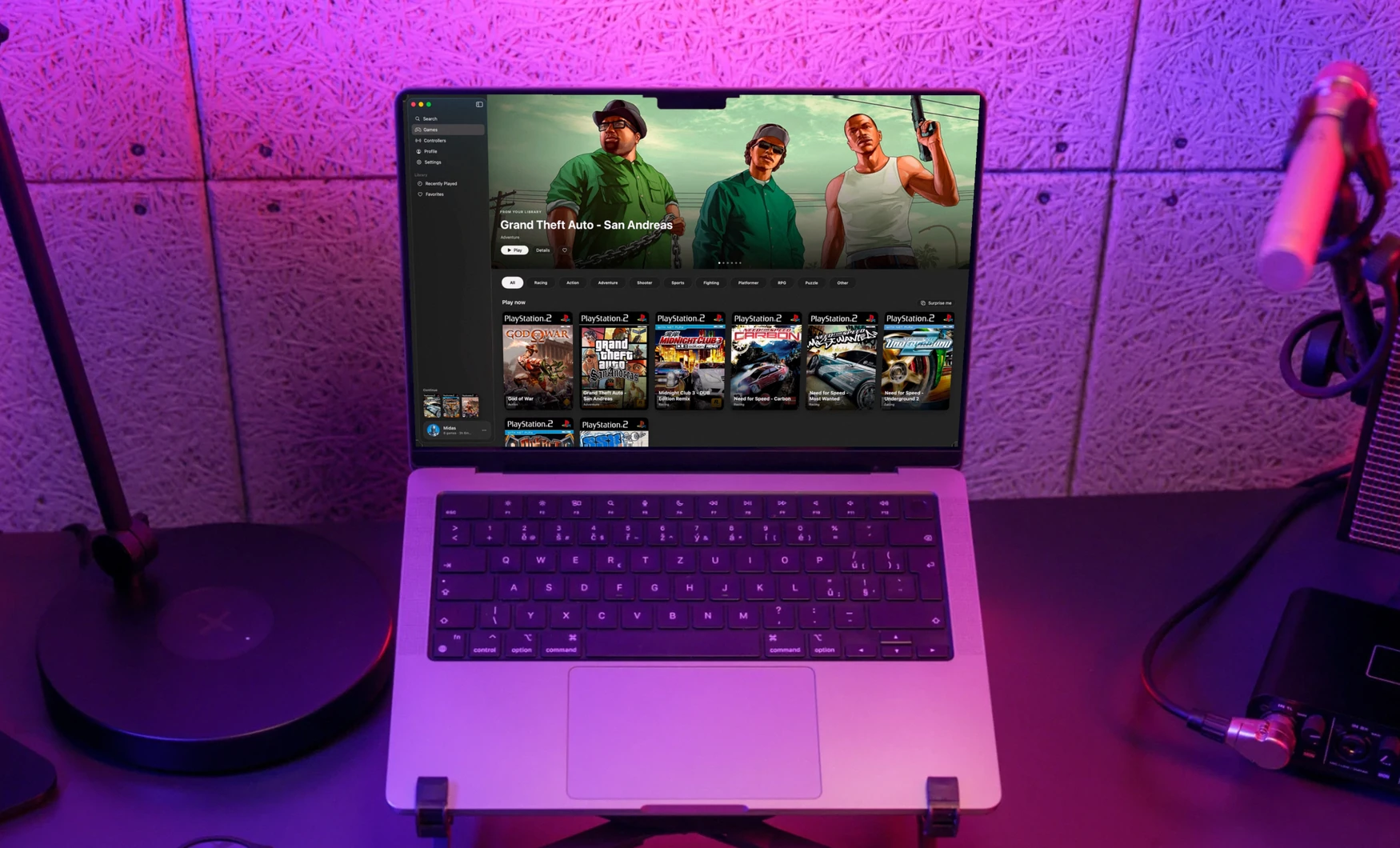
PS2Mac hides all emulator complexity behind a library that feels like a streaming app: pick a title, press Play. It supports 6,000+ PS2 games. It is a solo, non-commercial personal project, built end to end with AI-assisted development (Claude Code). I set the direction, made the product and architecture calls, reviewed every iteration and did all the visual and on-device testing.
Status: v0.1.0, signed and notarized by Apple and publicly downloadable. It requires macOS 26.
Tech: Swift and SwiftUI, PCSX2 (GPL-3) as the bundled engine, the Wikipedia and RAWG APIs, XCTest and Apple notarization. The website is static, on Vercel.
The challenge
PS2 games run on a Mac only after configuring an emulator: renderer, resolution, controllers, aspect ratio. For people who own their games and just want to play, that setup is the barrier. The goal was a library where choosing a title and pressing Play is the whole flow.
My approach
Research before building
The original idea was an iPhone emulator. Reading PCSX2’s source showed there are no public ARM64 CPU recompilers, an estimated 30,000+ lines of missing work. Rather than commit to that risk, I moved the product to macOS, where the official PCSX2 build already runs under Rosetta.
Design the library, not the emulator
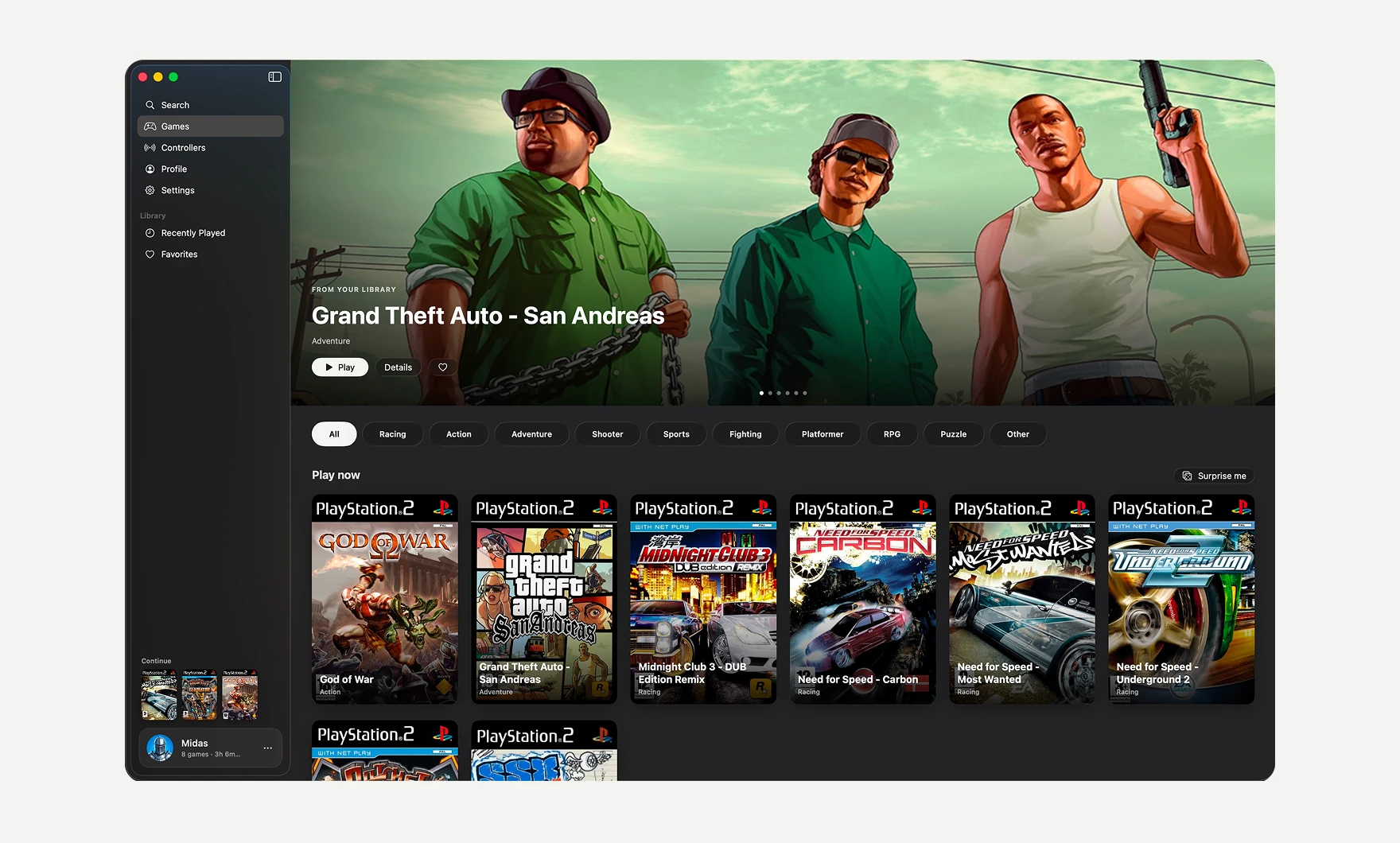
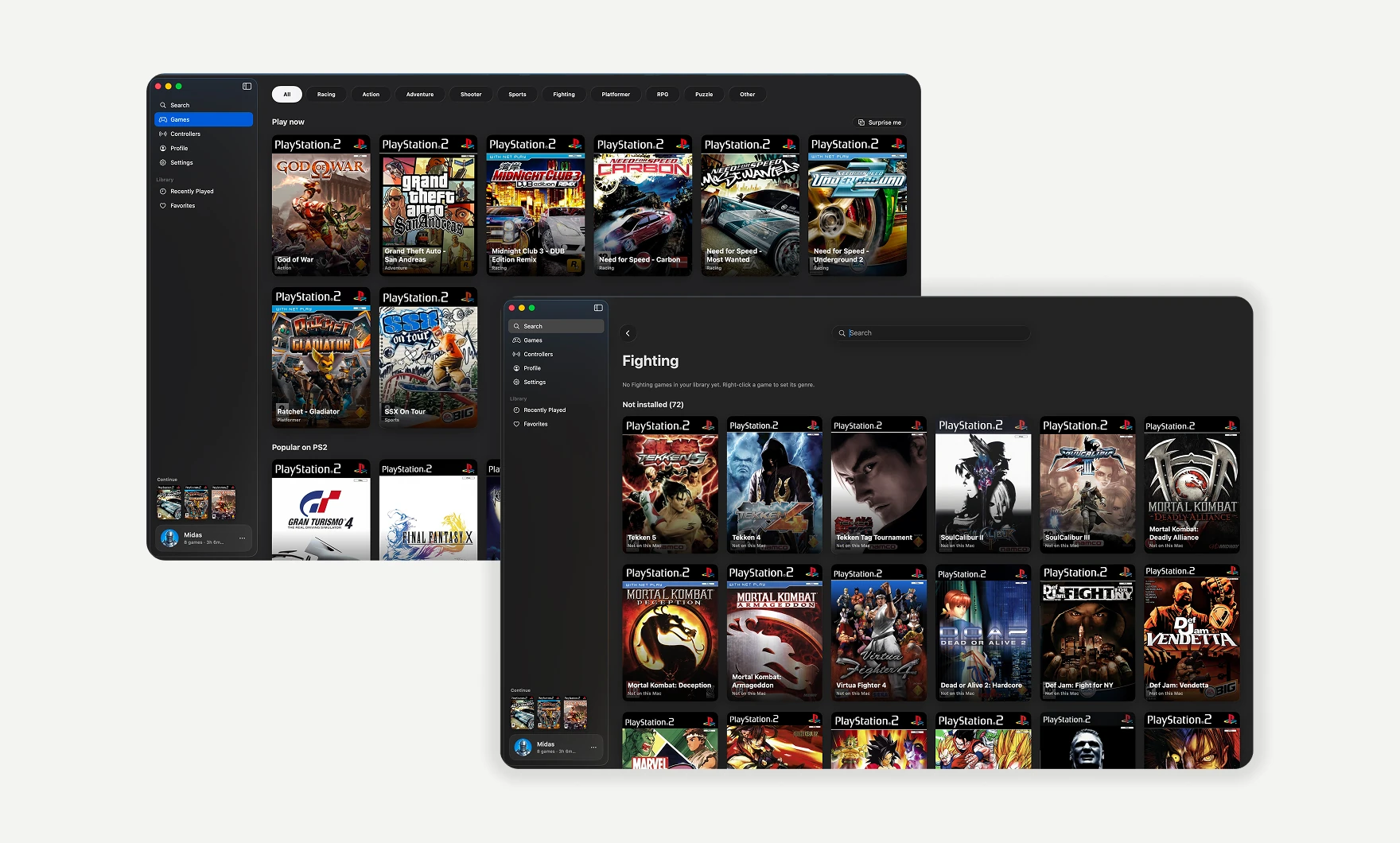
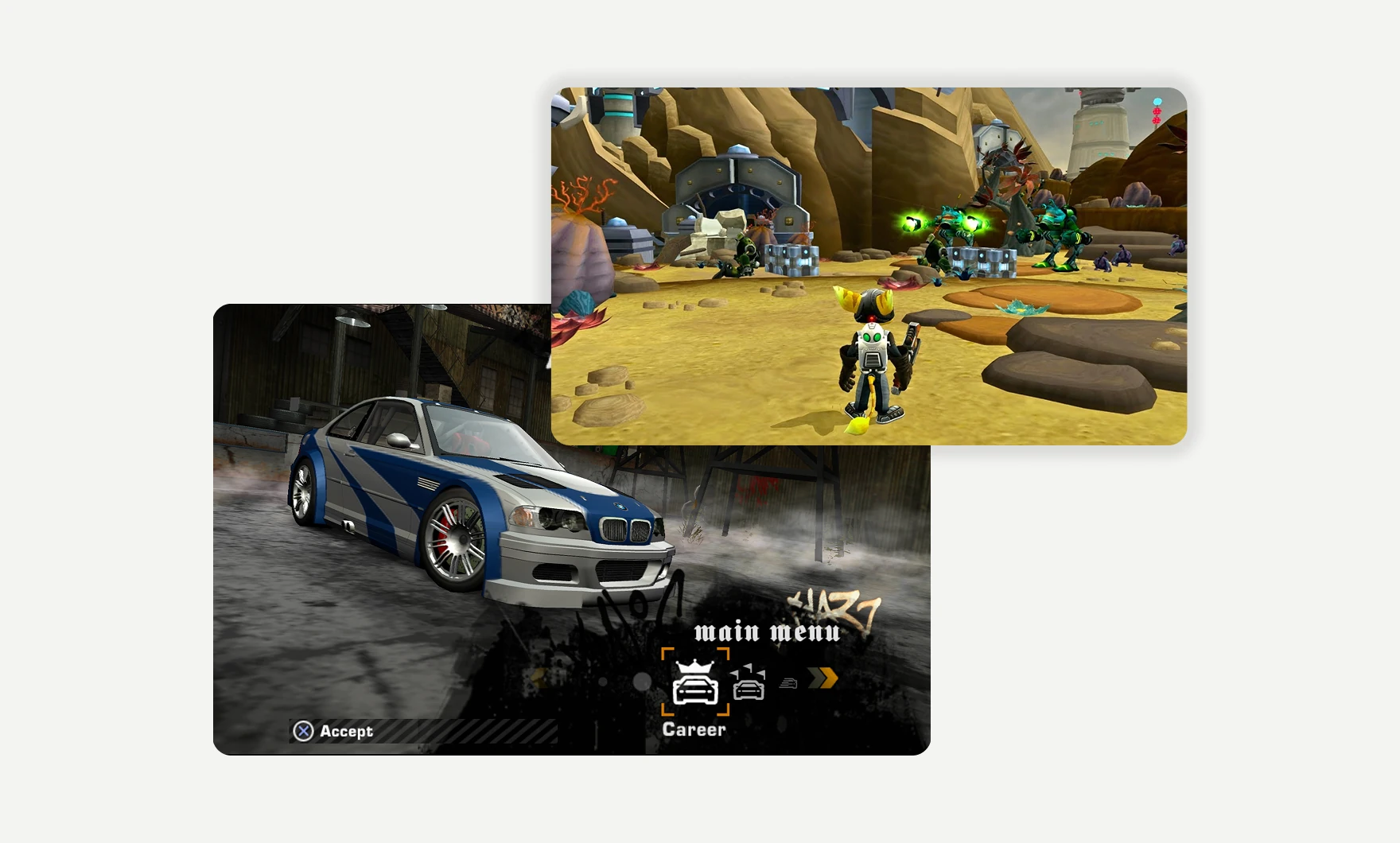
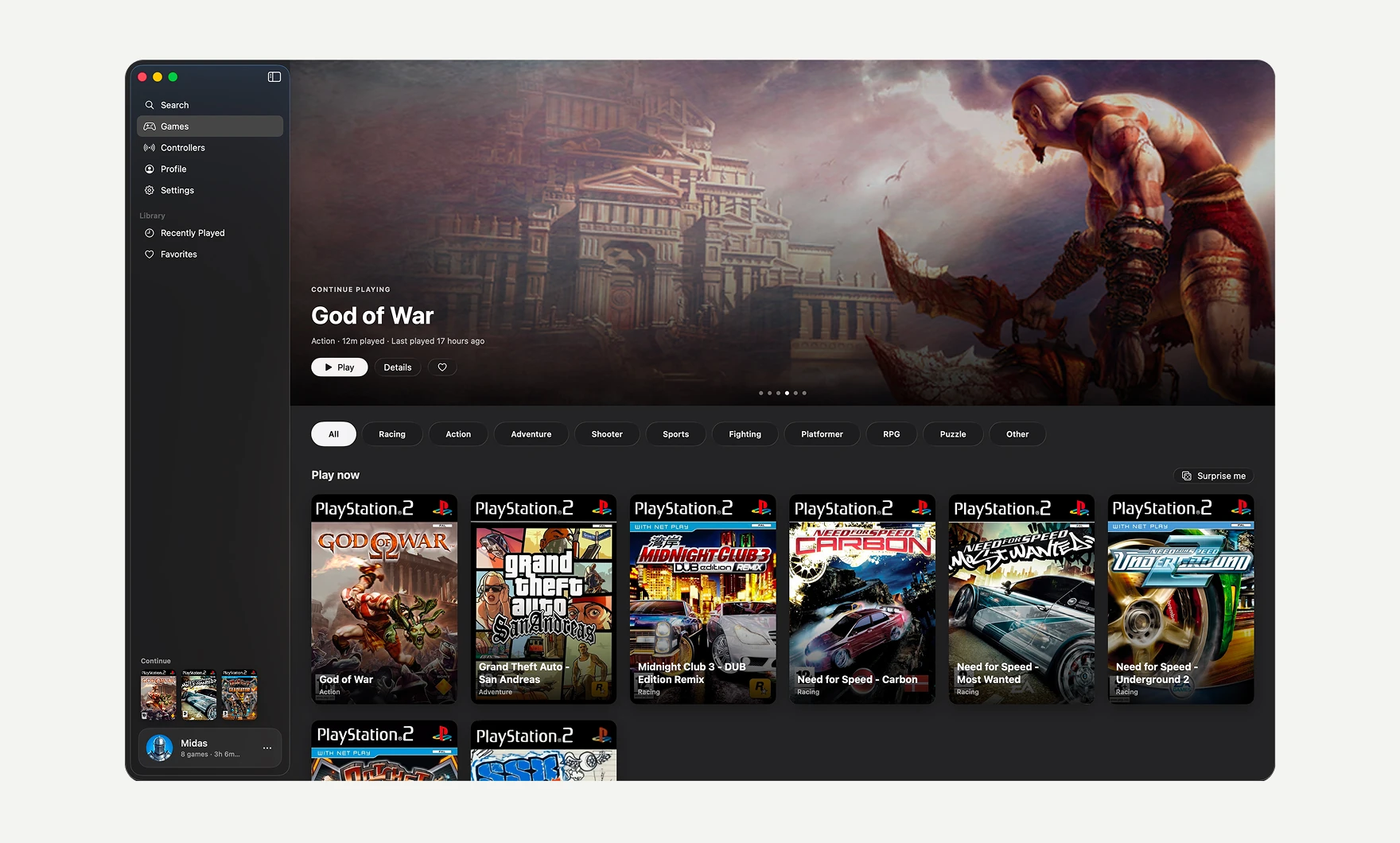
The experience is modelled on Apple TV: a hero carousel, cover art, genre browsing and a search that also covers games you don’t own yet. The emulator never shows its own interface. PS2Mac runs the unmodified engine as a separate, Dock-hidden process and writes its settings before every launch: upscaled graphics, controls, widescreen and sound. The few choices users do need, like key rebinding or a trackpad as the right stick, live in PS2Mac’s own settings. Wrapping instead of forking kept emulator-core work at zero and the GPL-3 engine cleanly separated.
Make the library trustworthy
Games are recognised by the serial read from the disc image, not the filename, so covers and details match reliably. Each content source sits behind its own cached service, so browsing keeps working offline and one source can fail without breaking the rest.
A deliberate platform cut
I targeted macOS 26 because the Apple TV look depends on its native Liquid Glass controls, accepting that older macOS versions are excluded.
Key challenges
What a second Mac revealed
Testing on a MacBook Air in Light Mode exposed broken contrast, missing artwork (stored only on my development machine) and placeholder “Player One” and “Guest” profiles that made no sense to a new user. I made the UI dark-only, bundled the artwork in the app, and replaced the placeholders with an empty first-run state that leads straight into creating your own profile and avatar. The lesson: a first-run flow is only tested once it runs on a machine that has never seen the app.
An invisible layout bug
The sidebar collapsed because a full-bleed hero image reported its full width to the window layout, which then remembered it. With no screen capture available, a small diagnostic that printed the layout geometry isolated the cause, and the fix became the standard pattern for every full-bleed image.
Release under uncertainty
Apple’s first notarization submissions stalled for about 26 hours. I kept the submitted build unchanged while work continued, then made the release a repeatable scripted routine. Later releases cleared in minutes.
Outcomes
Verified
- Signed and notarized by Apple: macOS accepts both the app and the disk image without warnings.
- Keyboard and controller play (including DualSense) confirmed in real games on two Macs.
- 14 passing unit tests across about 5,500 lines of Swift, with full English and Dutch localization.
- The landing page is live, with the download served from the site.